

Overview
Lucidspark is the whiteboard half of Lucid Software's product suite (the other half being Lucidchart for diagramming). Launched in October 2020 as remote work exploded, it competes directly with Miro and MURAL in the visual collaboration space.
For retrospectives, it's the same story as those two: a general-purpose canvas that happens to have retro templates. Fourteen of them, actually. Start/Stop/Continue, 4L's, Hot Air Balloon, a Mario Kart-themed one called Go-Kart. They're well-designed and the facilitation tools work. But if you've used a dedicated retro tool, you'll notice what's missing immediately.
What puts Lucidspark on this list at all is the security angle. FedRAMP Moderate authorization. SOC 2 Type II. ISO 27001. If you're in government or a regulated industry and your compliance team vetoes every SaaS tool that comes through, Lucidspark might be the only whiteboard that clears the bar. That matters, even if the audience is narrow.
Pros
- FedRAMP Moderate authorized — the only whiteboard with this clearance, which matters for government and regulated teams
- Two-way Jira and Azure DevOps sync via Lucid Cards, plus native integrations with Zoom, Webex, Google Meet, and Microsoft Teams
- AI-powered summarization and assisted grouping launched October 2025
- Breakout Boards let facilitators split large groups into smaller sessions and merge results back
- SOC 2 Type II, ISO 27001, ISO 27701, GDPR, and Enterprise Shield add-on with KMS and audit logging
Cons
- Voting and timer require the Team plan ($9/user/month, 3-user minimum) — the Free and Individual plans cannot run a facilitated retro
- No guided retro workflow — facilitators manually manage phase transitions on an open canvas
- No retro analytics, sentiment tracking, or action item dashboard across sessions
- Not purpose-built for retrospectives — 14 retro templates out of 1,500+ total templates tells the story
Key Features
Retro Templates
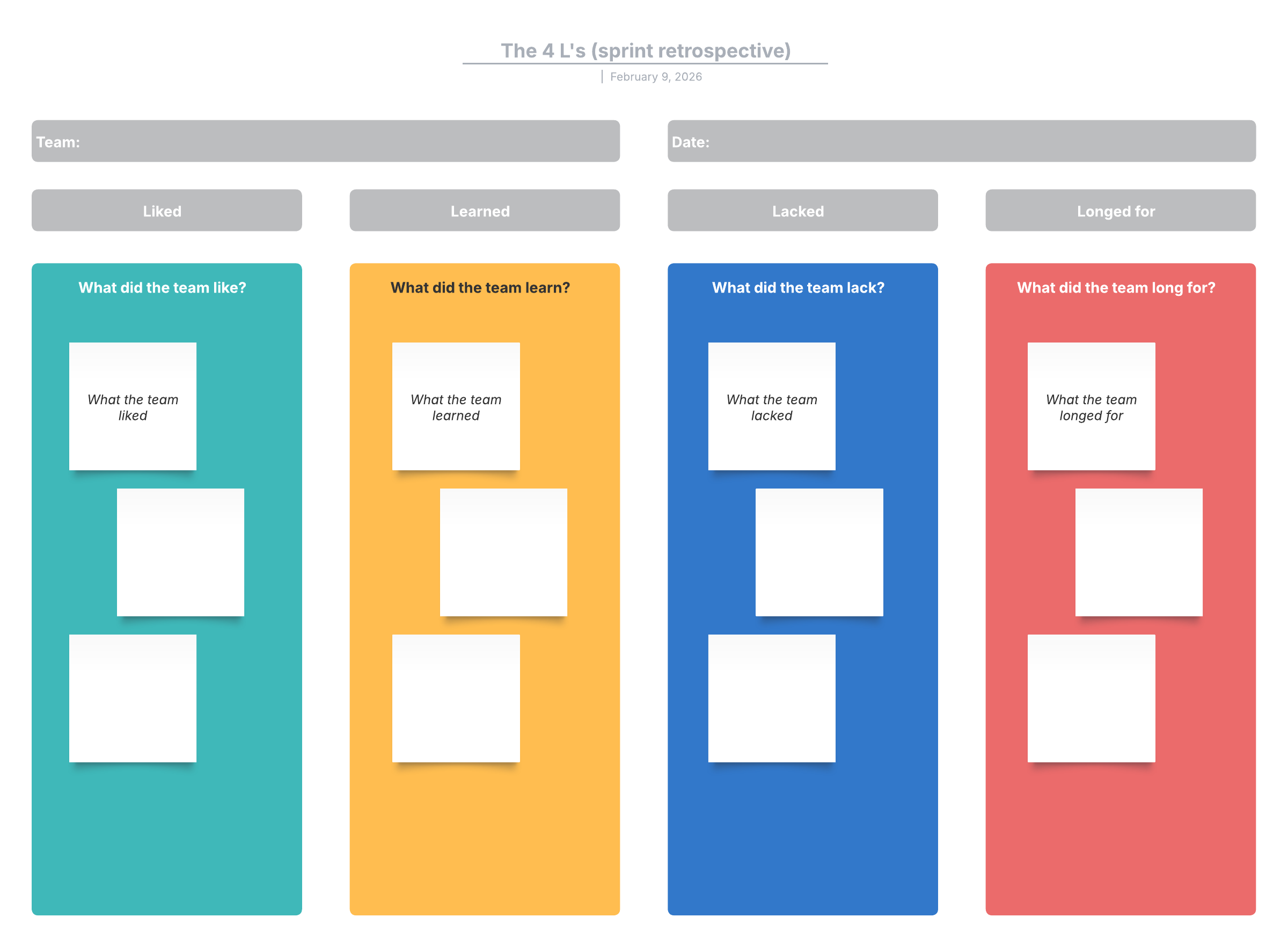
Lucidspark offers 14 retrospective templates. The standard formats are covered: Start/Stop/Continue, Sprint Retrospective, 4L's (Liked, Learned, Lacked, Longed For), and Lean Coffee. Then there are themed variants: Road Trip, Wild West, Go-Kart, Hot Air Balloon, Storybook. The themed ones add visual flair without changing the underlying mechanics.
Each template is a starting point on an infinite canvas. You can rearrange zones, add sections, drop in new sticky note areas. Custom templates are supported too — build one from scratch and share it across your team spaces. Enterprise customers get corporate template libraries for standardization across departments.
Fourteen retro templates out of 1,500+ total tells you where Lucid's priorities are. This is a tool that does retros among many other things, not a tool that specializes in them. Compare that to EasyRetro or Neatro, where every template was built for the retro use case.
Lucid AI
Lucid launched their AI features in October 2025, later than Miro and MURAL but with a reasonable first version. Two capabilities matter for retros:
Summarization takes a selection of sticky notes and generates a concise summary. Useful when you've got 40+ cards across columns and need to identify the main themes before moving to discussion.
Assisted grouping clusters sticky notes by shared attributes — keywords, emoji reactions, color, or tags. It's not fully automatic like Parabol's AI grouping. You choose the grouping criteria and the AI sorts. It works, but you're still making the organizational decisions.
Lucid also offers an MCP Server integration that connects boards to external LLMs like ChatGPT and Claude. If you want AI analysis beyond what's built in, that's an option — though it requires technical setup.
No sentiment analysis. The AI can summarize what people wrote but won't tell you whether the team mood is trending up or down. For that you'd need TeamRetro or ScatterSpoke.
Facilitation Tools
The facilitation toolkit works well when you're on the Team plan or above:
- Voting sessions: Facilitator-controlled dot voting and upvoting. Anonymous or named. Configurable vote limits per participant.
- Timer: Countdown visible to everyone. Preset times with quick-add buttons for 30 seconds, 1 minute, or 5 minutes.
- Breakout Boards: Split a large group into smaller boards for focused discussion. Participants choose which breakout to join. Results merge back to the main board.
- Attention call: "Bring everyone to me" snaps all participants to the facilitator's viewport. No more chasing people around an infinite canvas.
- Presenter mode: Walk participants through content sequentially.
- Content locking: Pin elements so participants can't accidentally drag things around.
Breakout Boards are the best feature here. Running a retro with 20+ people is painful on any whiteboard. Splitting into groups of 4-5 for parallel sessions and merging the outputs back gives you small-group honesty at full-team scale. Miro has something similar, but Lucidspark's version works cleanly.
Voting and timer — the two features most essential for running a retro — are locked behind the Team plan at $9/user/month with a 3-user minimum. The Free plan and $7.95/month Individual plan both lack these. Budget accordingly.
Anonymous Mode
Sticky notes can be set to anonymous, and voting sessions can be configured so nobody sees who voted for what. Visual Activities (Lucid's structured exercise format) also support anonymous responses.
It works. But it's worth noting that anonymous mode is per-object, not a global session toggle. The facilitator sets up anonymity on specific elements rather than flipping one switch for the entire retro. Dedicated retro tools like Kollabe or Retrium make this a single session-level setting.
Integrations and Video Conferencing
Integrations are strong on the project management and video conferencing side, weaker for development tools.
Jira, Azure DevOps, Asana, Monday.com, Smartsheet, Airtable, and Google Sheets all get two-way sync via Lucid Cards. You can import items, create new ones from sticky notes, and sync changes back. The Jira integration is particularly deep.
For video conferencing, there are native apps for Zoom, Webex, Google Meet, and Microsoft Teams. You can collaborate on boards without leaving the call. The Zoom and Webex integrations work on hardware room devices too, not just desktop clients.
The gaps: no GitHub integration, no Linear, and Trello was deprecated in March 2024. If your team tracks work in GitHub Issues or Linear, you're copying and pasting. Slack is notification-only, so you can share boards and get activity alerts but can't do anything interactive.
Security and Compliance
This is where Lucidspark separates itself from every other whiteboard.
- FedRAMP Moderate — authorized for government use. Neither Miro nor MURAL have this.
- SOC 2 Type II and ISO 27001/27701
- GDPR compliant with data residency options
- SSO/SAML on Enterprise
- Enterprise Shield add-on with IP whitelisting, idle session timeout, KMS encryption, content inspection, data classification, and audit logging
- SCIM provisioning and domain control
For government contractors, defense teams, healthcare organizations, and financial institutions with strict compliance requirements, Lucidspark may be the only whiteboard tool that passes procurement review. That's not a small thing.
Pricing
Lucidspark's pricing has a critical gotcha for retro teams:
- Free: 3 editable boards. No voting. No timer. No mobile app. Fine for solo brainstorming, unusable for facilitated retros.
- Individual: $7.95/month. Unlimited boards, tags, assisted grouping. Still no voting, no timer, no revision history. Single user only.
- Team: $9/user/month. Minimum 3 users ($27/month floor). Voting, timer, chat, revision history, guest collaborators, mobile app access.
- Enterprise: Custom pricing. SSO, Enterprise Shield, SCIM, corporate templates, priority support.
Here's the problem: you need the Team plan to run a real retro. That's $9/user/month with a 3-user minimum. A 10-person team pays $90/month. Compare that to Neatro at $29/month, Kollabe at $29/month, or Parabol which is free for up to 2 teams. Even MURAL at $9.99/user includes voting and timers on its base paid plan, and its free tier has those features too.
If your org already pays for the Lucid Suite (Lucidchart + Lucidspark bundled), the marginal cost of using Lucidspark for retros is zero. That changes the math entirely. But buying Lucidspark specifically for retros is hard to justify on price alone.
Ease of Use
Lucidspark is a whiteboard. If you've used Miro, MURAL, FigJam, or any other canvas tool, you'll orient quickly. Sticky notes, shapes, drawing tools, infinite scroll. The learning curve is gentle for anyone who's touched a digital whiteboard before. Steeper if you haven't.
The retro experience depends heavily on the facilitator. There's no guided workflow that says "Phase 1: Brainstorm, Phase 2: Group, Phase 3: Vote, Phase 4: Discuss." The facilitator uses templates as a canvas, manages transitions manually, and runs voting sessions when the time is right. That's fine for experienced scrum masters. It's a lot of cognitive load for someone running their second retro.
Mobile apps exist for iOS and Android but require a Team or Enterprise subscription. The web app works on tablets. Whiteboard tools are generally better on larger screens, and Lucidspark is no exception.
Who Is It Best For?
Lucidspark works well for:
- Government and defense teams that need FedRAMP Moderate authorization on their collaboration tools
- Regulated industries (healthcare, finance) where SOC 2 + ISO 27001 + data residency aren't nice-to-haves but requirements
- Organizations already paying for the Lucid Suite who want to consolidate retros onto the same platform
- Teams that run retros inside Zoom or Webex calls and want a native in-meeting whiteboard experience
- Large groups that benefit from Breakout Boards for parallel small-group sessions
Look elsewhere if:
- You want guided retro workflows with automated phase progression — try Retrium or Parabol
- You need retro analytics and sentiment tracking over time — try ScatterSpoke or TeamRetro
- You're on a budget and need voting and timers without per-seat pricing — try Neatro or Kollabe
- You want a general whiteboard with a stronger retro feature set — Miro offers more templates, a larger community, and includes voting on its free plan
The Verdict
Lucidspark is a capable whiteboard that can run retros, but "can run retros" is a low bar. Miro does the same thing with a bigger template library, more integrations, and a free tier that actually includes facilitation tools. MURAL does it with stronger facilitation features and a deeper Microsoft Teams integration. Both rank higher on this list for good reason.
Where Lucidspark stands alone is security. FedRAMP Moderate authorization is something no other whiteboard tool can claim. If your procurement team has rejected Miro and MURAL on compliance grounds, Lucidspark might be your only option. In that context, it's not just a 3.5 — it's the answer.
For everyone else, the math doesn't work. Voting and timer locked behind a $9/user paywall. No retro analytics. No action item tracking. No guided facilitation. Fourteen templates in a library of 1,500. Lucidspark is a good whiteboard that's mediocre at retrospectives, and teams whose primary need is running better retros have plenty of purpose-built tools that do it for less money.