

Overview
MURAL and Miro get lumped together constantly, and it makes sense. They're the two dominant visual collaboration platforms. But MURAL has carved out a different lane. Where Miro leans into being the everything-whiteboard, MURAL has focused on facilitated sessions: workshops, design thinking exercises, strategy offsites, and retrospectives.
That facilitation focus is what makes MURAL worth looking at for retros. Private mode lets participants write without seeing what anyone else has posted, which cuts the anchoring bias that tanks open brainstorming. Voting and timers are first-class features MURAL calls "Facilitation Superpowers," not afterthoughts bolted onto a drawing tool.
MURAL skews enterprise. The Microsoft Teams integration goes deeper than anything else on the market, the LUMA System frameworks give professional facilitators a structured methodology, and guests don't eat into your paid seats. If your org lives in Microsoft 365, MURAL fits your environment better than Miro and far better than any standalone retro tool.
It's still a general-purpose canvas at its core, though. You won't find guided retro workflows like Retrium, no cross-team analytics like ScatterSpoke, none of the retro-specific simplicity of Neatro. MURAL can run good retros. It just wasn't built for them.
Pros
- Strong facilitation features with Superpowers toolkit
- Deep Microsoft Teams integration — embed and run sessions without leaving Teams
- Visitors and guests do not count toward paid seats
- AI clustering, summarization, and sentiment classification
Cons
- Not purpose-built for retrospectives — no retro-specific workflows or phase automation
- No retro analytics or trend tracking across sessions
- Per-member pricing gets expensive fast for retro-only teams
- Private mode is not true anonymity — contributions are attributed once the mode ends
Key Features
Facilitation Superpowers
This is what separates MURAL from Miro for retro use. The toolkit includes:
- Private mode: Everyone writes feedback without seeing what anyone else posted. Prevents groupthink and gets more honest input. One caveat: this isn't true anonymity. Once the facilitator turns off private mode, contributions are attributed to their authors. It solves the anchoring problem during brainstorming, but won't protect someone worried about being identified.
- Voting: Dot voting with configurable limits for prioritizing discussion topics.
- Timers: Visible countdowns that keep each retro phase on track.
- Summon: Pulls every participant's view to the same spot on the canvas. Nobody gets lost scrolling around the infinite board.
- Facilitator Lock: Prevents participants from accidentally (or deliberately) moving content around during active discussion.
- Hide & Reveal: Conceals sections until the facilitator is ready to show them, useful for guiding the retro through phases.
Private mode isn't true anonymity. Once the facilitator turns it off, contributions are attributed to their authors. It solves anchoring during brainstorming, but won't protect identity during discussion.
Private mode is the standout. People see the first couple of stickies and anchor to those themes instead of sharing what they actually think. Private mode kills that dynamic.
Templates
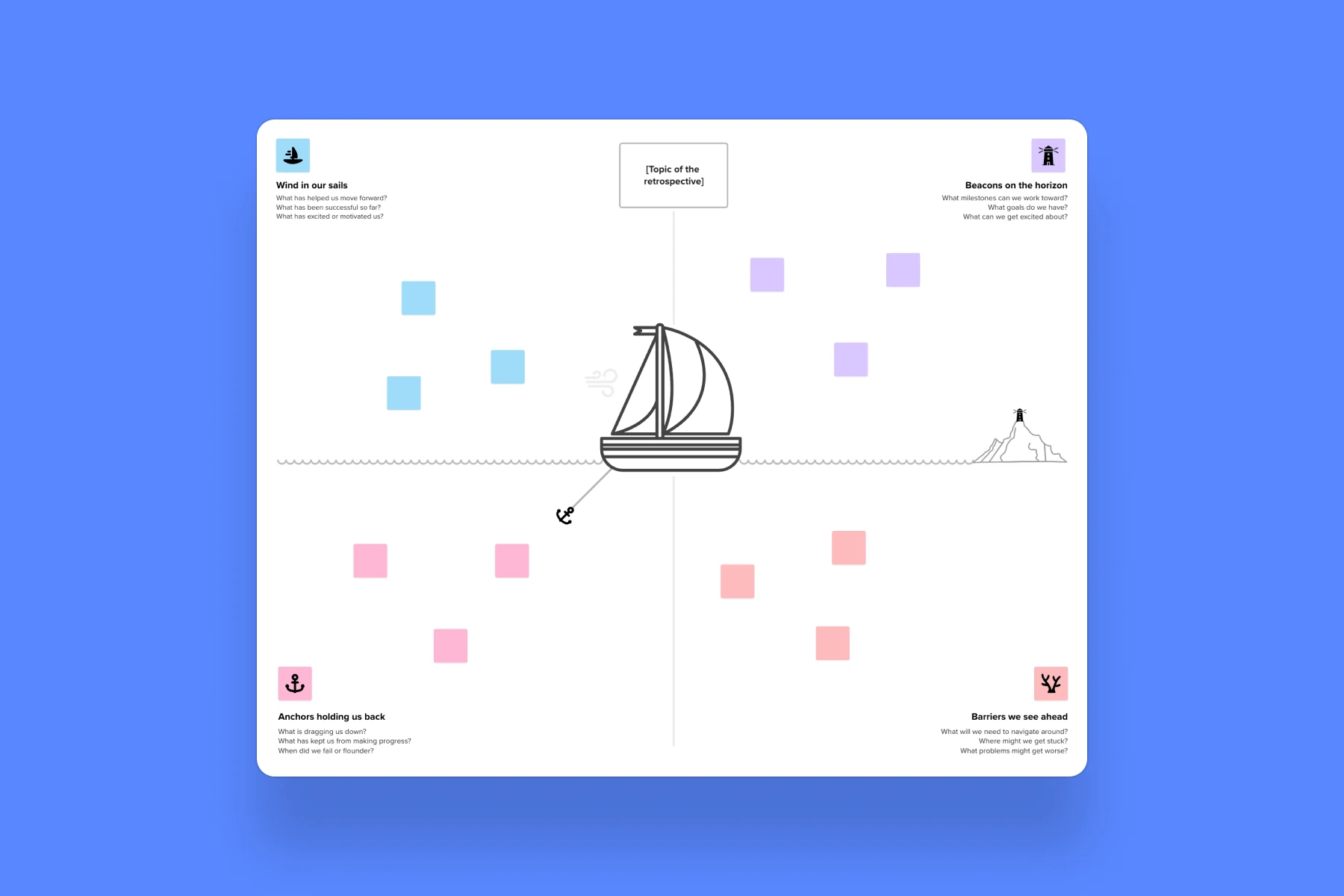
MURAL has 100+ built-in templates covering retros, workshops, strategy sessions, and team activities. The retro templates cover the usual formats: sprint retrospective, sailboat, mad/sad/glad, start/stop/continue, retrospective radar, and an async retro template. LUMA Workplace frameworks add more on top of that, which is where the higher template counts some review sites quote come from.
The templates tie into LUMA System frameworks, a facilitation methodology from the LUMA Institute (which MURAL acquired). Professional facilitators and coaches get real depth here, but LUMA has a learning curve. If you just want to run a basic retro, ignore it.
MURAL AI
MURAL's AI (Team+ and above) covers a few areas useful for retros:
- Clustering: Groups related sticky notes by topic. You can rearrange by different criteria, and it respects categories you've already defined.
- Summarize: Generates a summary of mural content so you don't have to read every sticky note individually.
- Classify: Sorts sticky notes by emotional context, giving you a quick read on team sentiment. Built-in sentiment analysis, basically.
- Mind mapping: Generates idea branches for exploring themes.
- Converse: Natural language chat for generating ideas, questions, and hypotheses.
Compared to ScatterSpoke's longitudinal analysis across teams and sprints, MURAL's AI is session-focused. Helps during the retro, doesn't track how themes evolve over months. Same story as Miro: good in-session tooling, no retro trend tracking.
Smart Planner and Action Items
In March 2025, MURAL launched Smart Planner, a task organization feature that pairs with Jira and Azure DevOps. It's closer to real action item tracking than what MURAL had before, which was basically tagging sticky notes with color codes and hoping someone followed up.
You can export action items to Jira, Asana, Salesforce, and other connected tools via two-way sync. But there's no proper action item tracker with due dates, status fields, and assignee management like Parabol or Retrium offer. If your team needs structured follow-through, you'll push items into your project management tool and track them there.
Microsoft Teams Integration
MURAL's Microsoft Teams integration is the deepest in the market. Embed canvases, launch sessions, and collaborate without leaving the Microsoft ecosystem.
This is MURAL's biggest differentiator. You can embed canvases directly in Teams channels, launch sessions from within Teams, and collaborate without leaving the Microsoft ecosystem. The integration extends to Outlook and Office too.
Miro integrates with Teams, but not at this depth. If your retro participants live in Teams and groan every time they open another browser tab, the embedded experience matters.
Integrations
Beyond Microsoft, MURAL now has two-way sync with Jira (Cloud + Data Server), Azure DevOps, Asana, Salesforce, Rally, and Microsoft Planner. A year ago most of those were one-directional, so the integration story has improved a lot.
Slack is notification-only. You get alerts about mural activity, but you can't interact with content from Slack. Confluence gets embed support. Zoom and Webex let you run murals inside video calls. Zapier connects to everything else.
40+ integrations total. The enterprise-grade ones (Okta, Microsoft Entra ID, Splunk) say a lot about who MURAL is building for.
Guest Access Policy
Guests and visitors don't count toward paid seats. On Team+ and above, visitors can even edit, not just view.
Guests and visitors don't count toward your paid seats. Invite stakeholders, external coaches, or people from other teams without increasing your bill.
This is a real cost advantage over strict per-seat models. If you regularly pull in outside participants for retros or workshops, the savings add up. Visitors can even edit (on Team+ and above), not just view.
Pricing
MURAL's current tiers:
- Free: Up to 3 active murals. Fine for evaluation, not enough for ongoing use. AI features not included.
- Team+: $9.99/user/month (annual) or $12/user/month (monthly). Unlimited murals, AI features, basic integrations.
- Business: $17.99/user/month (annual only). SSO, advanced integrations including Azure DevOps and Okta, LUMA frameworks, priority support.
- Enterprise: Custom pricing. SCIM provisioning, audit logs, data residency, BYOK encryption, eDiscovery, the full governance stack.
For retros specifically, per-seat pricing is the same problem Miro has. A 12-person team on Team+ pays $120/month. Retrium costs $39/month. Neatro runs about $29/month. Metro Retro comes in at $48/month. The guest access policy softens this for teams with fluctuating headcounts, but the math is hard to ignore if retros are all you need.
Ease of Use
MURAL's interface is clean. Facilitation tools are accessible without cluttering the canvas, and most participants figure out sticky notes, voting, and navigation within minutes.
The Superpowers work well because participants don't know they exist. They just see their workspace. The facilitator handles mode transitions, timers, and voting behind the scenes. That separation keeps things simple for attendees and gives facilitators real control over the flow.
LUMA frameworks add depth for experienced facilitators but can overwhelm teams that just want a simple retro. They're entirely optional.
Where MURAL falls short for retros is the same place Miro does: no workflow automation. The facilitator manually manages phase transitions, discussion order, and action item capture. Retrium automates that progression. In MURAL, you run the show yourself, using Outline and Hide & Reveal to structure your flow.
Who Is It Best For?
MURAL works well for:
- Enterprise organizations in Microsoft-heavy environments
- Professional facilitators and agile coaches running workshops, design sprints, and retros in one platform
- Teams that frequently include guests or external participants
- Organizations that want private mode for honest feedback collection
- Teams already paying for MURAL who want to consolidate tools
Not a great fit if you only need a retro tool. Purpose-built options cost less and do more for that specific job. Small teams on tight budgets will find better value elsewhere. And if you need retro-specific analytics and trend tracking, ScatterSpoke and TeamRetro do that while MURAL doesn't.
The Verdict
MURAL is the best general-purpose collaboration platform for facilitated sessions, retros included. Private mode solves a real problem that Miro still doesn't address natively. The Microsoft Teams integration is unmatched. Guest access saves real money. The AI clustering and sentiment analysis are useful in-session.
It's still a general tool applied to a specific job, though. No guided retro workflows. No cross-session analytics. No phase automation. If retros are your primary use case and you're not already invested in MURAL for other things, tools like Retrium, Neatro, or Parabol will give you better workflows, better analytics, and better value per dollar. MURAL earns its spot when retros are one piece of a broader facilitation practice and you want everything in one place.