

Quick Verdict
Two free retro boards, two nearly identical names, one short comparison.
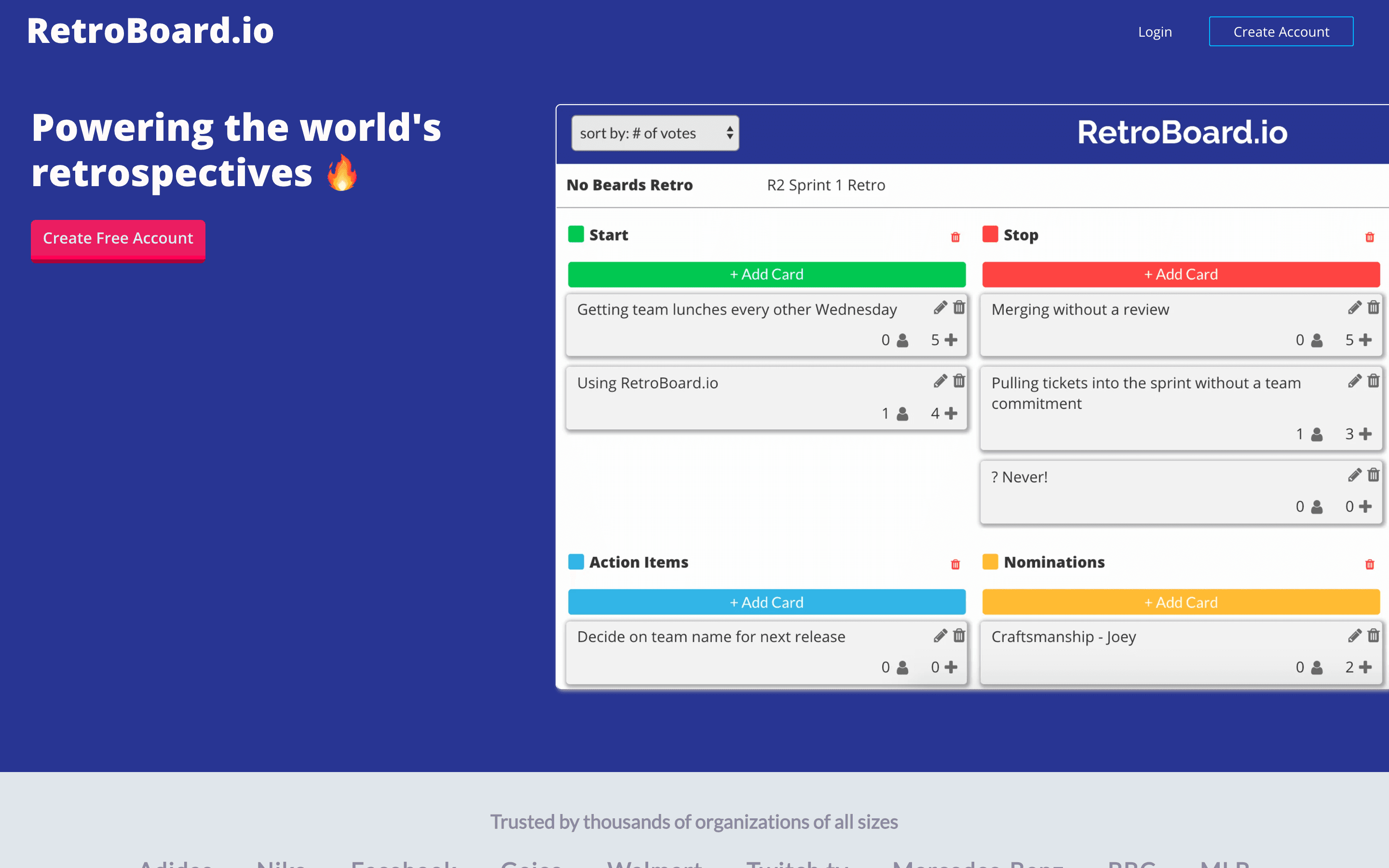
RetroBoard (retroboard.io) is a columnar board with upvoting and CSV export, built on the no-code platform Bubble by a solo developer around 2018. That sentence is close to the complete feature list. No timer, no templates, no anonymity controls, no action items, no facilitation of any kind.
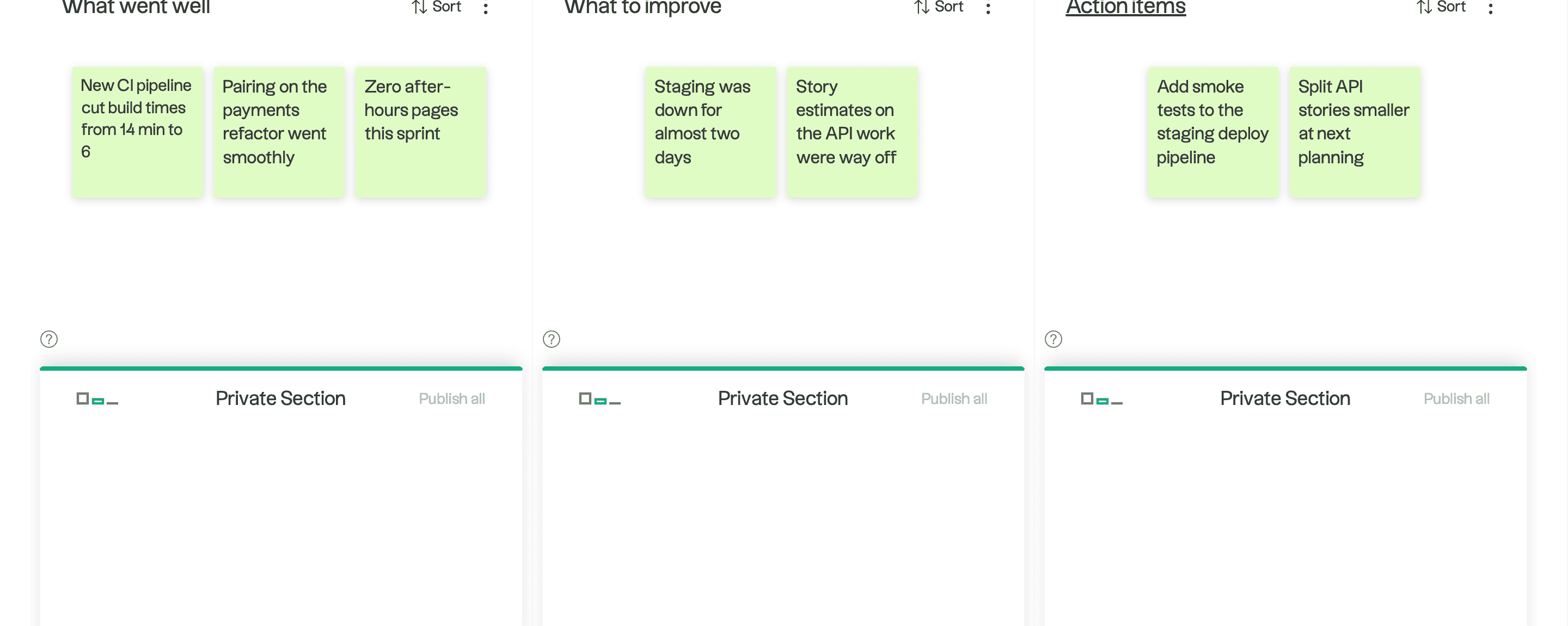
RetroTool (retrotool.io), a side project of the agency u2i, is a real facilitation tool that happens to cost nothing: private drafting sections, secret voting with per-column and per-card limits, a timer, anonymous boards by default, action points with owners and due dates, and three solid templates.
Both are free. Both are effectively dormant projects. One of them was clearly designed by someone who has run a retrospective. Pick RetroTool.
Feature Comparison
The overlap: both give you columns, cards, votes, and a shareable URL with no accounts required. For the first five minutes of a retro they feel similar.
Then the meeting starts. RetroTool's facilitator can run a timer, hide votes until reveal ("secret voting"), cap votes for the whole retro, one column, or a single card, and lock the finished board read-only. Participants draft cards in a private section nobody else can see, then publish when ready, which keeps early cards from steering the room. That last feature is the anti-anchoring mechanic Miro sells as private mode, sitting in a free tool.
RetroBoard's facilitator can watch. There is no timer, no vote controls, no hiding anything, no lock. Cards go up attributed with no anonymity option, votes accumulate in the open, and whoever talks first anchors the board.
Follow-through tells the same story. RetroTool has action points with an assigned owner and a due date, plus a view that collects them across a team's retros. RetroBoard has nothing; commitments live in someone's memory or the CSV.
RetroBoard's one genuine win is CSV export, which RetroTool answers only with Markdown. If your retro data must land in a spreadsheet, that is the single scenario where RetroBoard has the better answer.
Templates: RetroTool ships Mad/Sad/Glad, Start/Stop/Continue, and Liked/Learned/Lacked plus fully custom boards with colors and images. RetroBoard has its default layout.
Pricing Comparison
Both free. The differences are in the fine print.

RetroBoard
No paid tier exists
- Completely free, no limits stated
- No accounts required
- Upvoting and CSV export
- Built on Bubble.io by a solo developer

RetroTool
Optional paid: $10/team/month for private boards
- Unlimited participants, cards, and boards
- Timer, secret voting, action points included
- Free boards stored 12 months
- $10 tier adds invite-only boards and infinite archive
RetroTool's free tier has one limit RetroBoard doesn't: boards expire after 12 months. Export before your anniversary. In exchange it offers an upgrade path ($10/team for private invite-only boards, $20 for zero-knowledge encryption) that RetroBoard never built.
Sustainability deserves a sentence, because it cuts both ways. RetroBoard is a solo developer's Bubble app with no visible business model. RetroTool is a New York agency's dormant side project with EU hosting and a homepage claiming 985,000 retros. Neither owes you uptime; RetroTool at least has an organization behind the domain.
Ease of Use
RetroBoard is marginally simpler because there is less of it: make a board, share the link, type. If your entire requirement is "a page where people put cards," it does that without a single distraction.
RetroTool costs you one extra concept, the private-then-publish flow, and repays it immediately. Beyond that it is still a three-click setup with no logins, and the interface, while plain, is cleaner and more modern than RetroBoard's Bubble-built pages.
Neither has grouping or merging, so both facilitators sort duplicate cards by hand. Neither has native mobile apps; RetroTool is the more comfortable of the two in a phone browser.
Integrations
Neither tool integrates with anything. No Jira, no Slack, no Teams, no webhooks, no APIs.
Exports are the whole story: CSV from RetroBoard, Markdown from RetroTool. If either matters to your workflow, that is your tiebreaker. Teams needing real tracker integration should look at Kollabe or Parabol and accept the price tag.
AI and Automation
Nothing on either side. No grouping, no summaries, no sentiment, no scheduling.
At the free tier that is the expected trade, though it is worth knowing Parabol's free plan includes limited AI summaries and Geekbot's free tier includes its analytics dashboard, so free and AI-free are no longer strictly synonyms.
Who Should Choose Which?
Choose RetroBoard if…
- You want the absolute minimum: columns, cards, votes
- CSV export is a hard requirement
- One-off retro where facilitation tools are overkill
- Simplicity beats every other consideration
Choose RetroTool if…
- You want anonymous cards and private drafting
- Secret voting and vote caps improve your discussions
- Action points need owners and due dates
- A timer and read-only lock matter to your facilitation
- You might want private boards ($10) later
Final Recommendation
RetroTool wins this one walking away. At the identical price of free, it offers anonymity, anti-anchoring mechanics, real voting controls, a timer, action points, and templates against a tool that offers upvotes and a CSV button. The only teams with a reason to choose RetroBoard are the ones that specifically need CSV export or specifically want nothing at all beyond cards and votes.
Keep expectations calibrated for both: these are unmaintained free projects, fine for routine retros and wrong for anything sensitive, since neither offers private boards for free.
If you are surveying the whole zero-dollar field before committing, our free retro tools guide ranks every option, and the gap between the best free tools and the $29 platforms is smaller than the gap between the best and worst free tools. Choose accordingly.